Redesign project: NIC Website

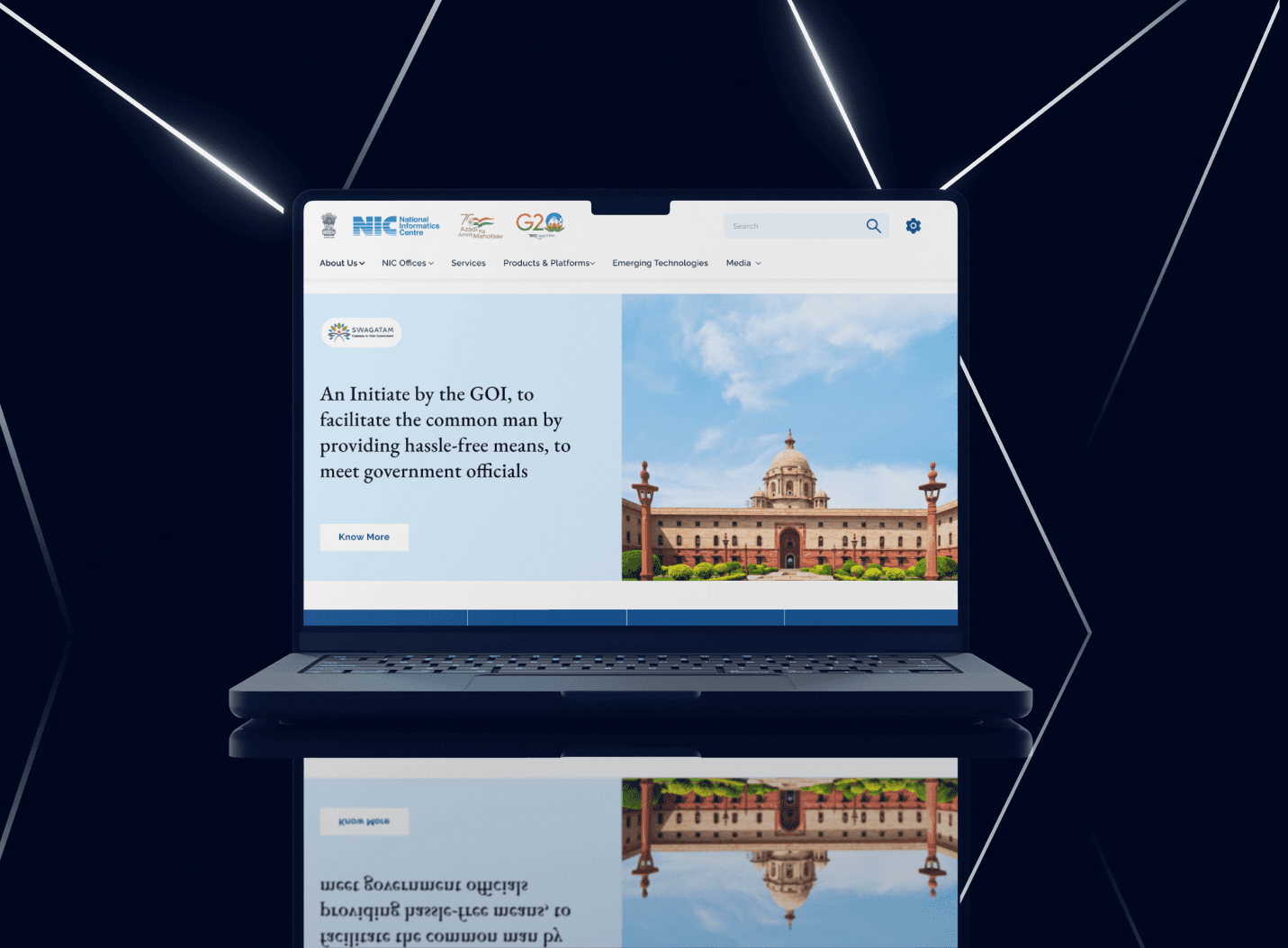
Elevating the user experience of existing National Informatics website by enhancing its usability, visual appeal, and functionality.
Role

UX/UI Designer

Role

UX/UI Designer

Role

UX/UI Designer

Industry

Electronics & Information Technology

Industry

Electronics & Information Technology

Industry

Electronics & Information Technology

Duration

5 Weeks

Duration

5 Weeks

Duration

5 Weeks

Stage 1. UX Audit

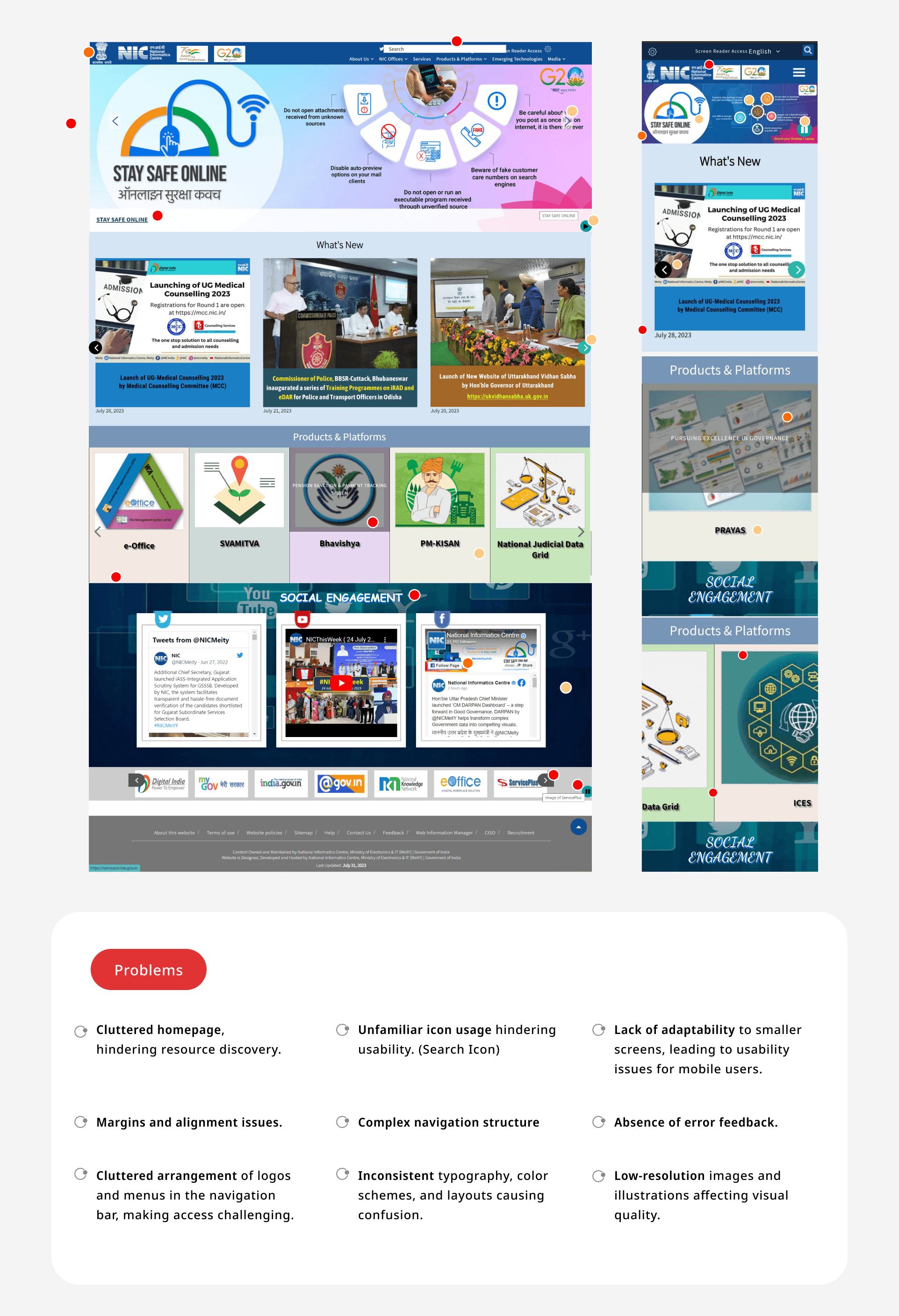
Initiated the project with a comprehensive UX audit of the existing website, employing heuristic evaluation to identify friction points. This audit revealed significant areas for improvement, particularly in the website's navigation system, consistency & low resolution images.

Stage 2. Competitve Analysis

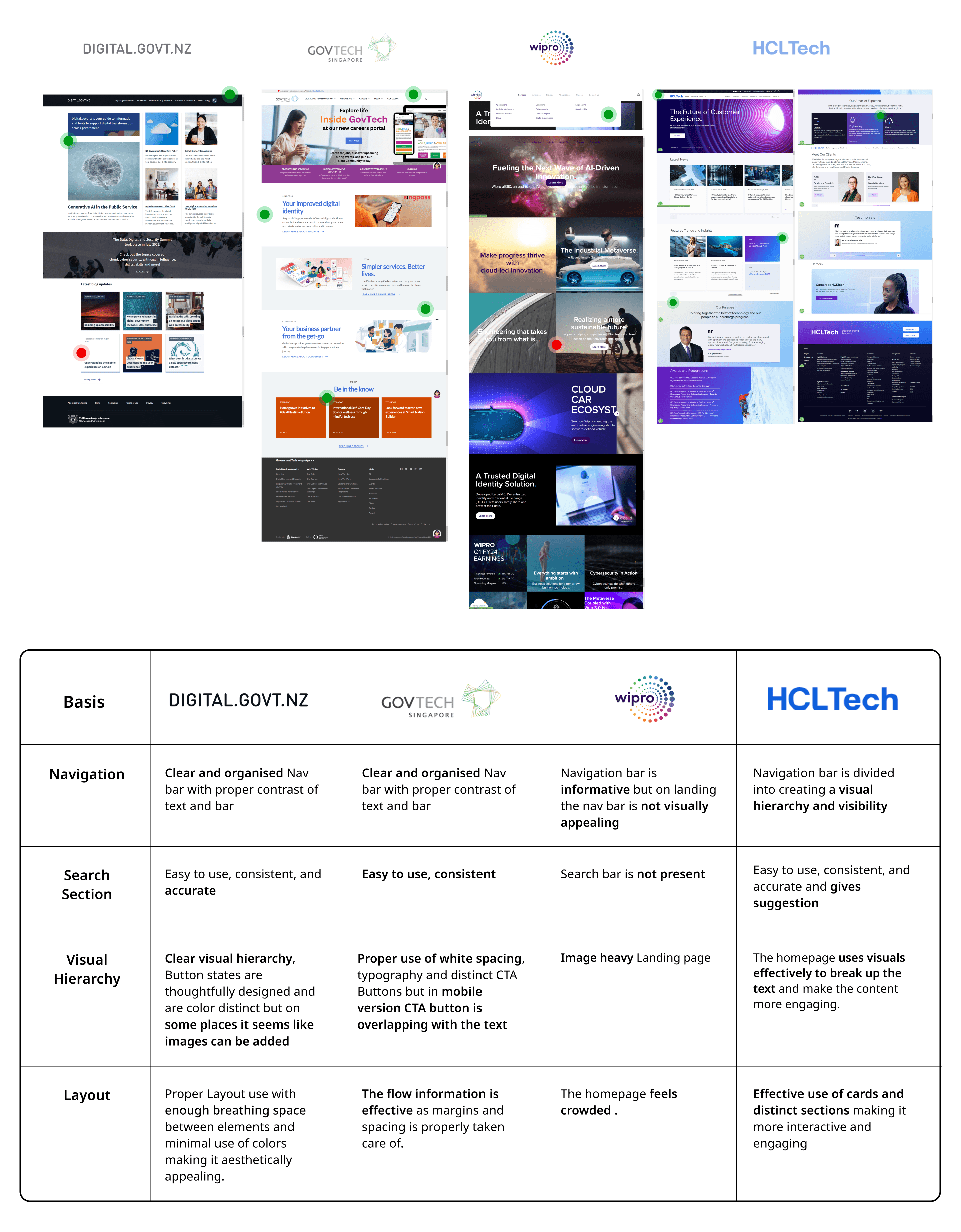
In order to assess the current standing of our project and identify opportunities for improvement, I conducted a thorough competitive analysis encompassing both direct and indirect competitors.

Stage 3. Benchmarking

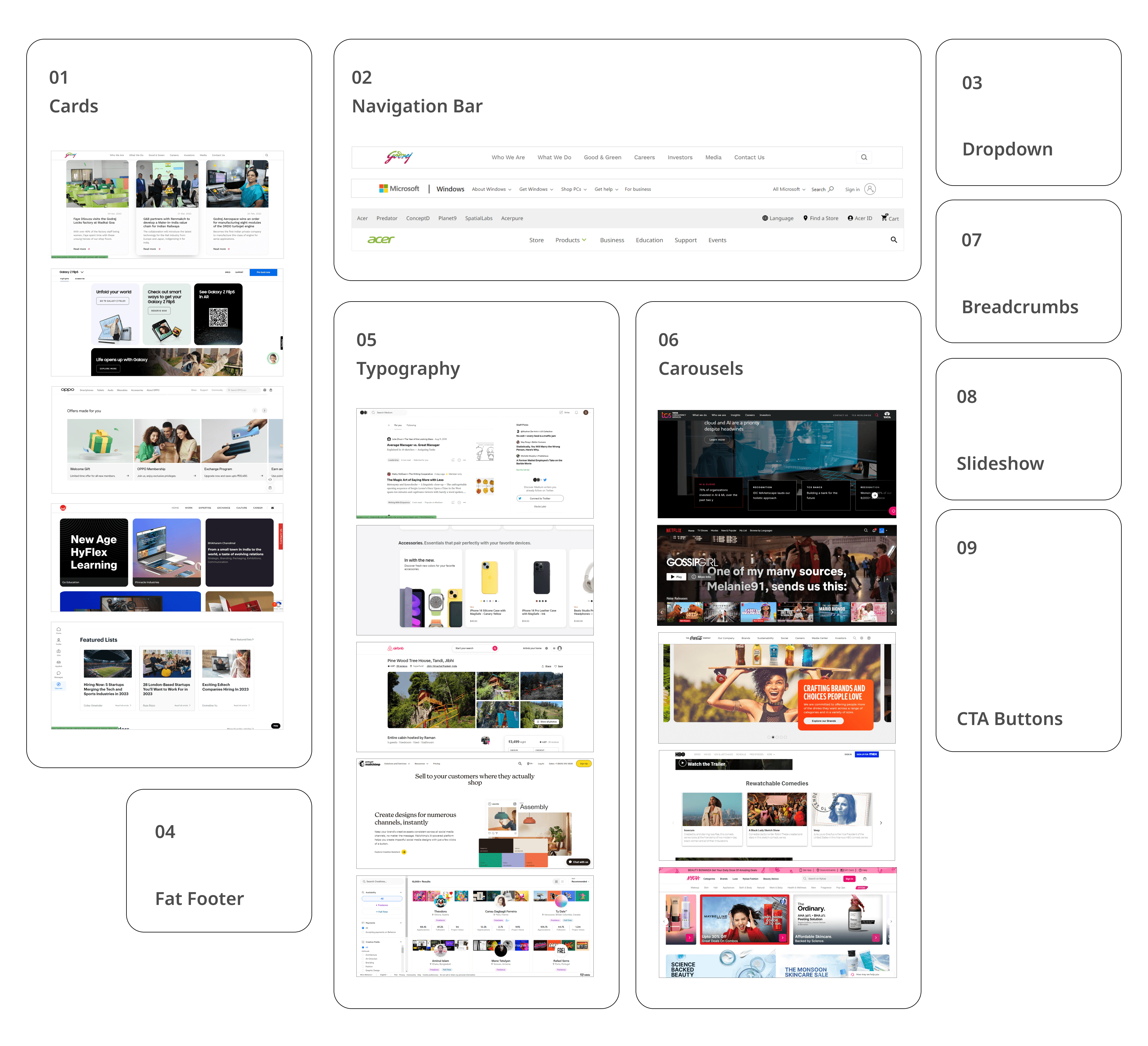
I started looking at different websites to see how they're put together and how users interact with them. This included everything from how the menus are organized to the fonts they use and the buttons they click.

By studying these websites, I gained valuable insights into industry standards and best practices. I learned what works well and what could be improved upon.

Stage 4. UI Framework & Moodboard

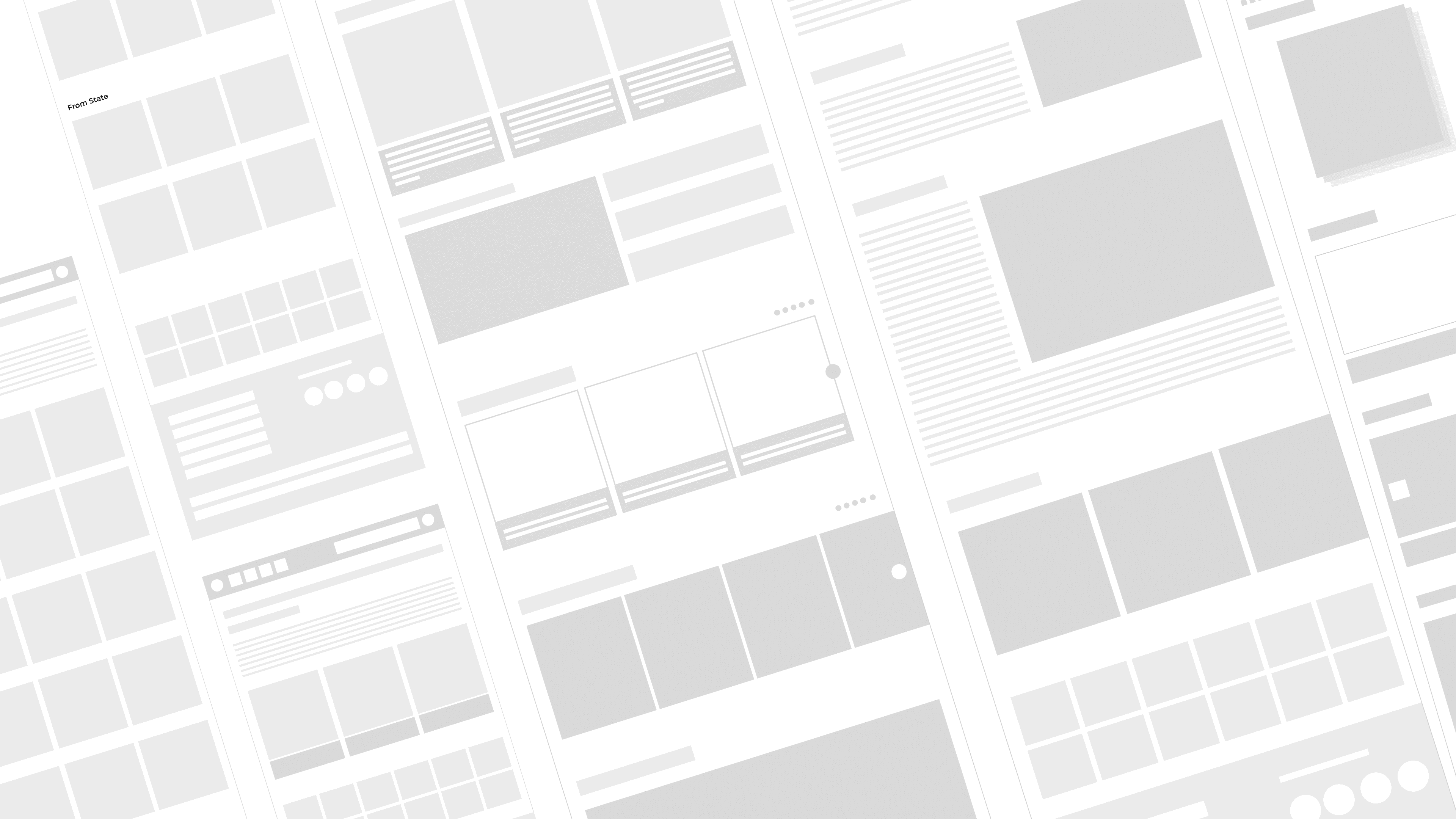
UI Framework: Undertook the redesign of core app screens and user flows, addressing the audit's findings.

Moodboard: I utilized moodboard as visual collage to inspire and refine my design direction. By curating images, colors, and typography, moodboard helped me communicate design concepts effectively.

Stage 1. UX Audit

Initiated the project with a comprehensive UX audit of the existing website, employing heuristic evaluation to identify friction points. This audit revealed significant areas for improvement, particularly in the website's navigation system, consistency & low resolution images.

Stage 2. Competitve Analysis

In order to assess the current standing of our project and identify opportunities for improvement, I conducted a thorough competitive analysis encompassing both direct and indirect competitors.

Stage 3. Benchmarking

I started looking at different websites to see how they're put together and how users interact with them. This included everything from how the menus are organized to the fonts they use and the buttons they click.

By studying these websites, I gained valuable insights into industry standards and best practices. I learned what works well and what could be improved upon.

Stage 4. UI Framework & Moodboard

UI Framework: Undertook the redesign of core app screens and user flows, addressing the audit's findings.

Moodboard: I utilized moodboard as visual collage to inspire and refine my design direction. By curating images, colors, and typography, moodboard helped me communicate design concepts effectively.

Stage 5. UI Style Guide

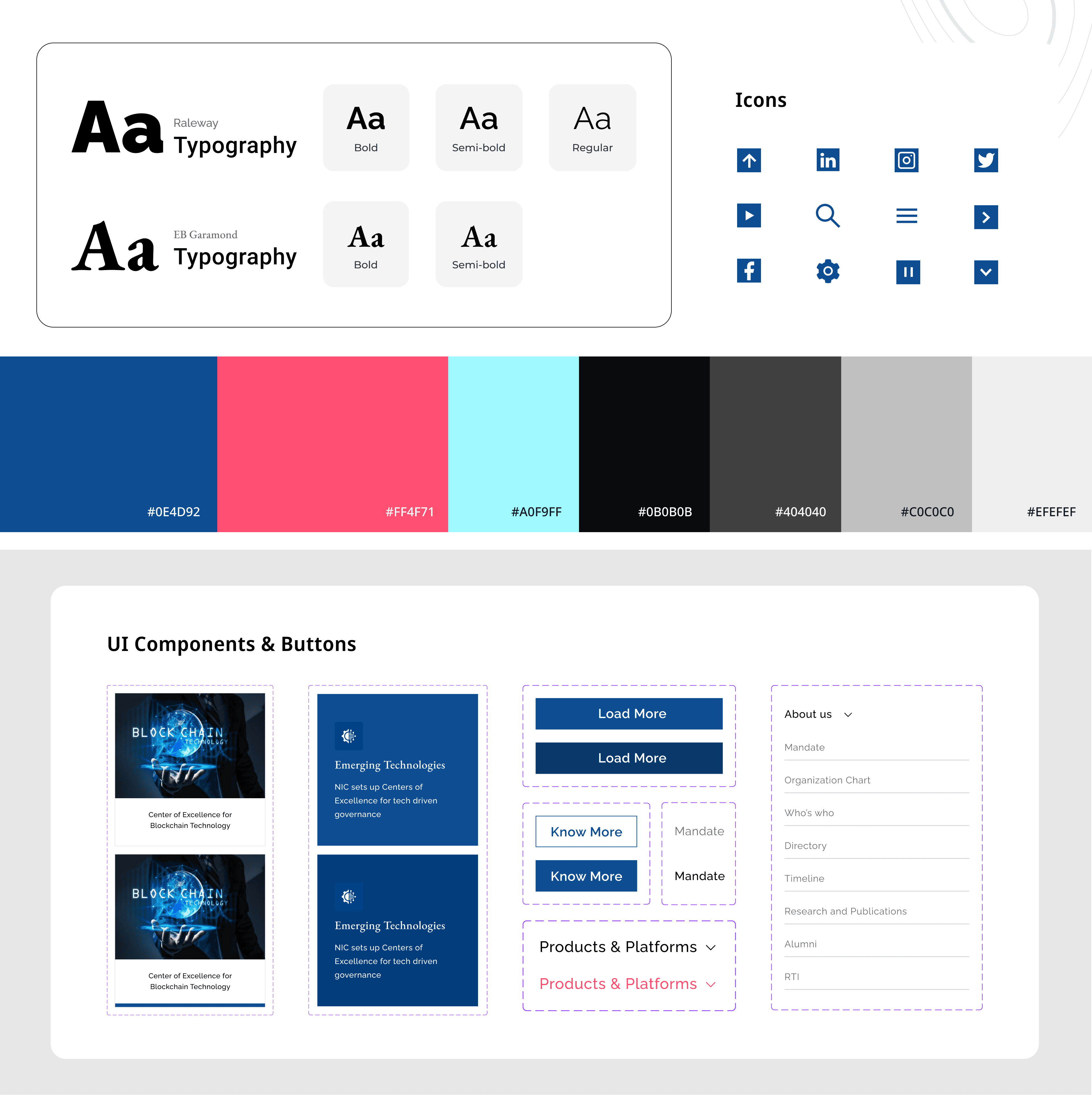
I created a UI style guide to keep my designs consistent and professional. This guide includes rules for colors, fonts, buttons, and other elements, ensuring everything looks cohesive and matches the overall design vision across all projects.
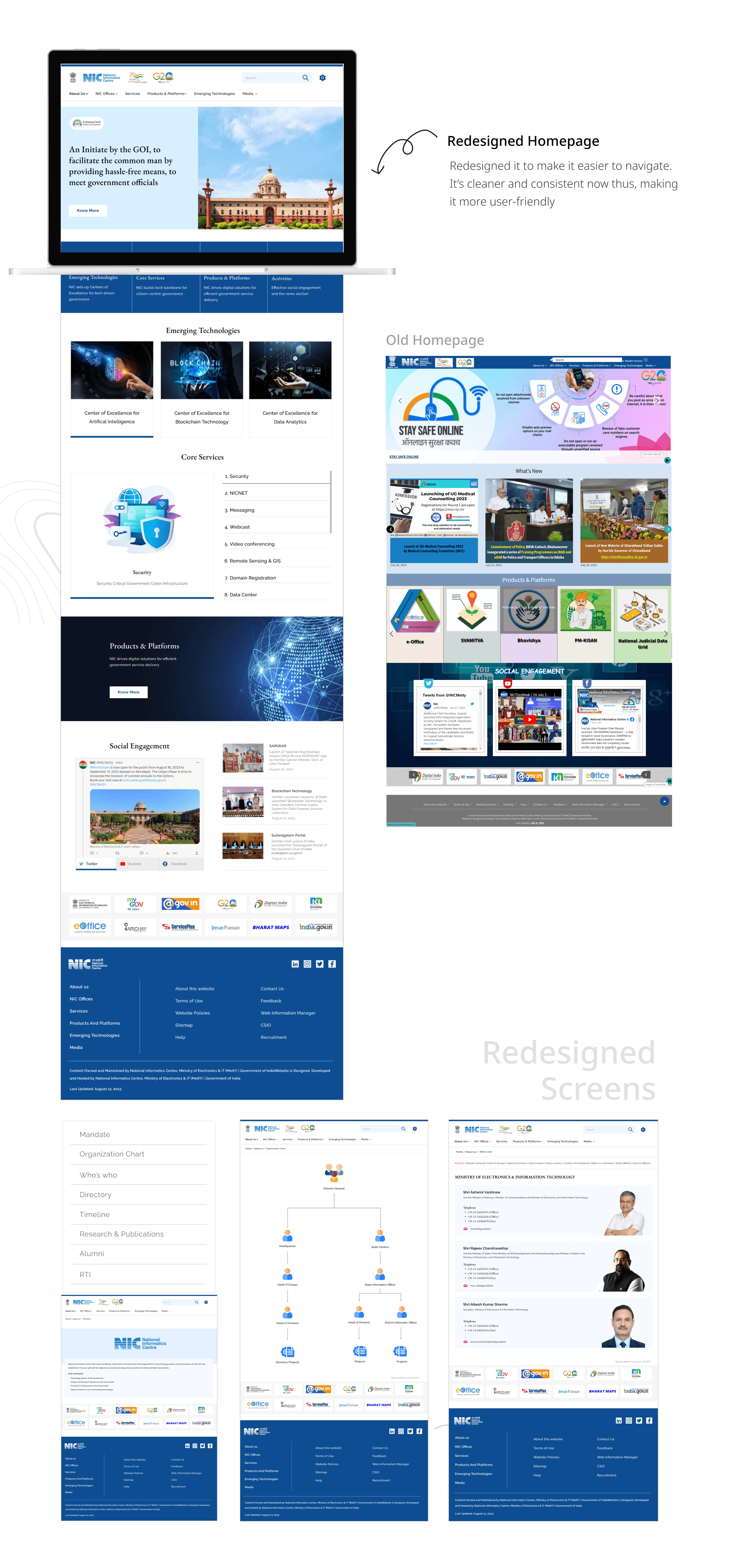
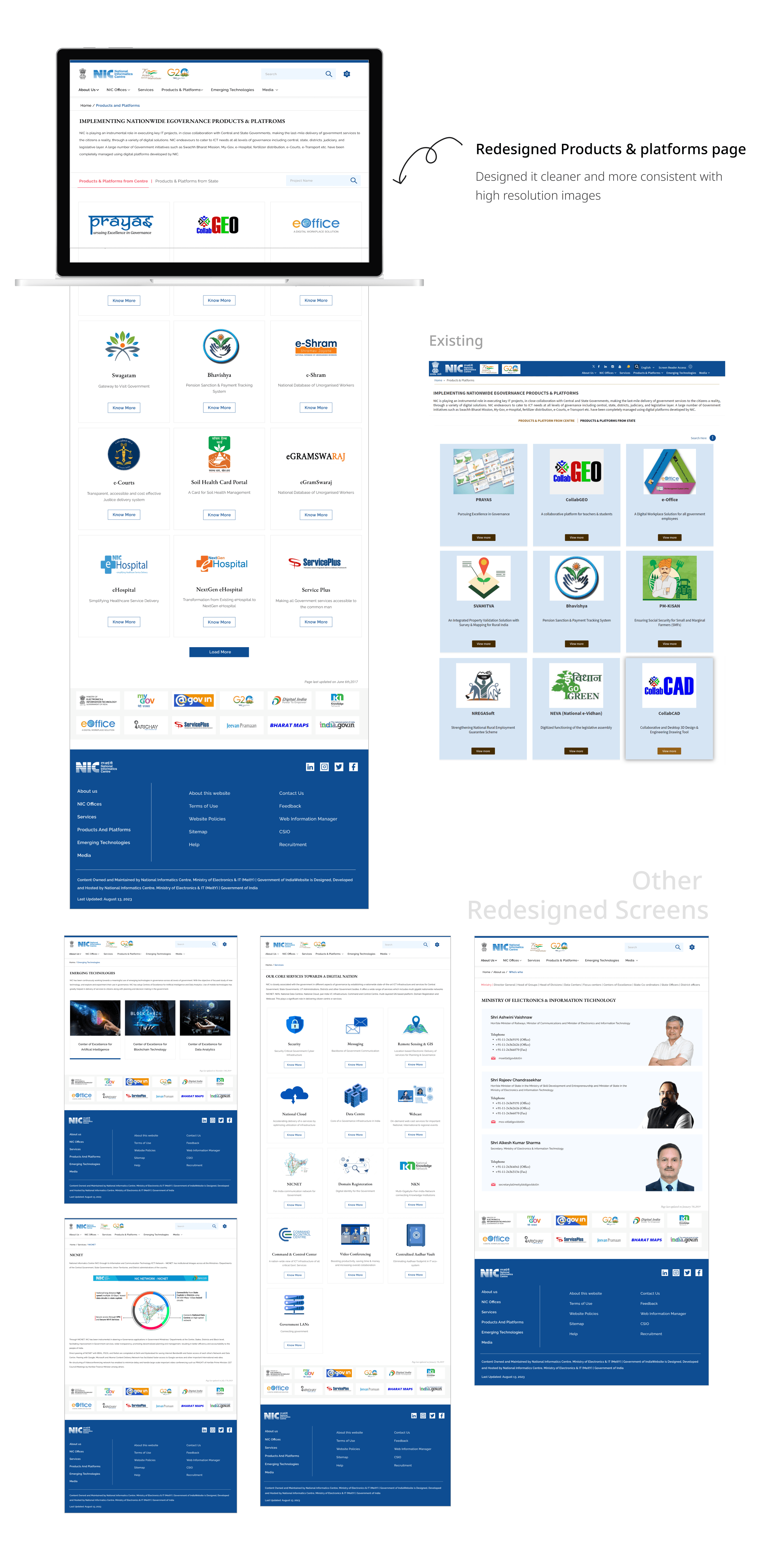
Stage 6. User Interface Design

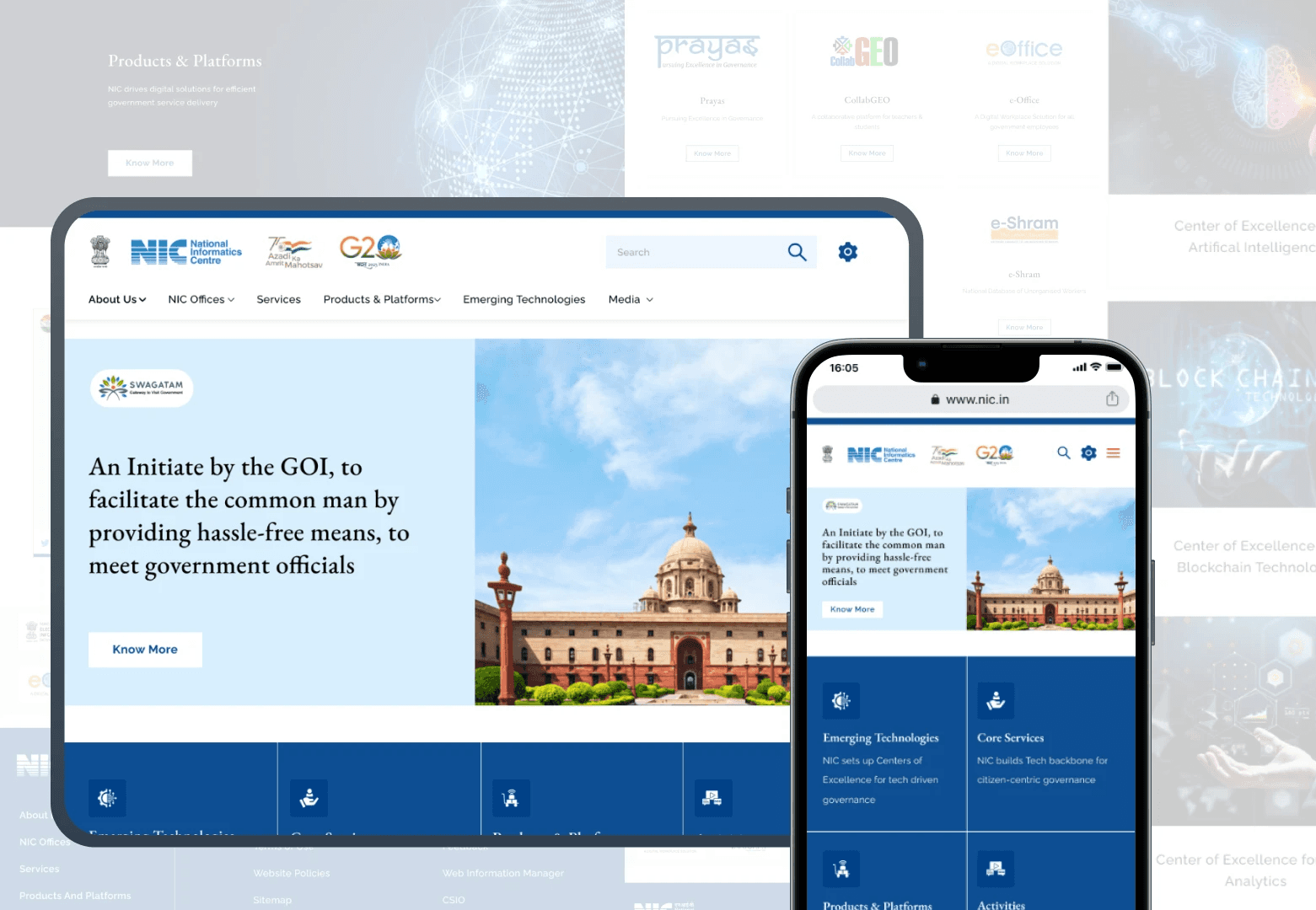
I focused on creating user interfaces that are both visually appealing and easy to use. This involves designing elements like buttons, menus, and icons to enhance the overall user experience. My goal is to make interactions smooth and enjoyable, keeping the design consistent and aligned with the overall brand.
Other projects
Let's Connect to Design

Let's Connect to Design

Let's Connect to Design